If you’ve ever dreamt of building your own “Digital Home,” you’ve likely stumbled upon WordPress. It is the powerhouse of the internet, fueling everything from tiny personal blogs to massive global e-commerce empires. But for a beginner, the dashboard can look a bit like the cockpit of a jet — lots of buttons, plenty of potential, and a slight fear of pressing the wrong thing.
The big question is: How long does it take to learn WordPress? Is it a weekend project, or does it require years of study? In 2026, with the rise of AI-assisted building and advanced block editors, the learning curve has flattened, but the ceiling for what you can achieve has never been higher. At Web-Brew, we don’t just use basic templates; we “engineer” websites to be fast and easy to use. Whether you are looking for a WordPress development company in Varanasi or a DIY enthusiast, this guide will break down the timeline.
Introduction to Learning WordPress
Learning WordPress is not a single “event”— it is a journey of layers. For some, learning means knowing how to post a blog; for others, it means becoming a WooCommerce design expert in Varanasi. Because WordPress is open-source, the ecosystem is vast. You aren’t just learning a software; you are learning how to manage content, understand hosting, navigate security, and potentially design user experiences.
In 2026, the software has become more intuitive than ever, integrating deeply with AI tools that help you write code or generate layouts. However, the fundamentals remain the same. The time it takes you to learn depends entirely on your “destination.” Do you want to build a simple portfolio, or do you want to run a complex agency?
What Is WordPress and How Does It Work?
At its core, WordPress is a Content Management System (CMS). Think of it as the operating system for your website, similar to how Android or iOS works for your phone. It allows you to create, manage, and modify content without needing to write code from scratch every time you want to change a sentence.
WordPress works by connecting three main components:
- The Core Software: The engine that drives the site.
- The Database: Where all your words, passwords, and settings are stored.
- The Files (Themes & Plugins): This is the “skin” (design) and the “muscles” (functionality).
When a visitor types your URL, WordPress fetches the data from the database, wraps it in your chosen theme, and delivers it to the browser in milliseconds.
Why WordPress Is So Popular for Building Websites
WordPress powers over 43% of the internet for a reason. Its popularity stems from its flexibility. You can start a blog today and, with the help of a WooCommerce agency in Varanasi, turn it into a multi-vendor marketplace next month without changing platforms.
Furthermore, the community support is unparalleled. If you have a problem, someone has already solved it and posted the solution online. It is SEO-friendly by nature, highly customizable, and — most importantly — you own your data. Unlike “closed” builders like Wix or Squarespace, with WordPress, you can move your “Digital Home” to any host you want at any time.
Factors That Affect How Long It Takes to Learn WordPress
Not everyone learns at the same pace. Several variables will dictate your speed:
- Technical Background: If you already know what a “server” or “HTML” is, you’ll fly through the basics.
- Learning Goals: Learning to manage a blog takes 2 days. Learning to be a WordPress development company professional takes months of practice.
- Time Commitment: Are you spending 1 hour a week or 5 hours a day?
- Tools Used: Using a “Page Builder” (like Elementor or Gutenberg) is much faster than learning to code custom PHP themes.
How Long It Takes to Learn WordPress Basics (1–2 Weeks)
The “Basics” include installing WordPress, choosing a theme, creating pages/posts, and navigating the settings.
Within the first week, you can comfortably understand the “Gutenberg” block editor. You will learn how to add images, format text, and set up a navigation menu. By the end of the second week, you should understand how to manage “Plugins”— the apps of the WordPress world — and how to keep your site updated. If you are a business owner in India, this is usually the level where you start looking for a WordPress maintenance company in Varanasi to handle the technical “under-the-hood” work while you focus on content.
How Long It Takes to Build Your First WordPress Website (3–4 Weeks)
Building a functional site that is ready for the public takes a bit longer. This phase involves:
- Connecting a Domain and Hosting.
- Configuring SEO plugins (like Yoast or Rank Math).
- Setting up Contact Forms.
- Ensuring the site looks good on mobile phones.
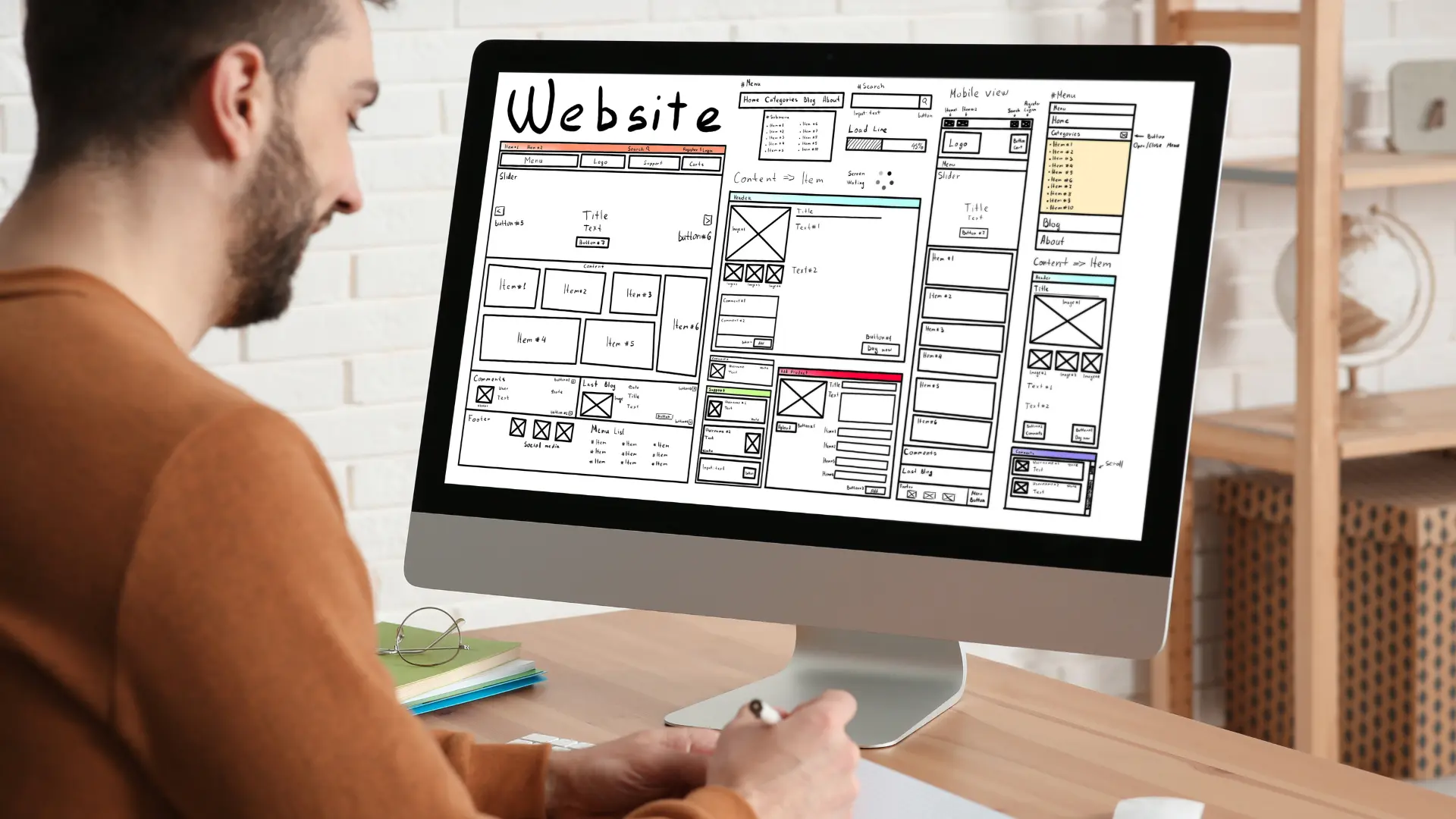
Usually, a beginner can go from “zero” to a “live” basic business site in about a month. However, at Web-Brew, we take this a step further. We believe in “engineering” rather than just “assembling.” We use tools like Figma to design how your site looks before we build it, ensuring that the final product isn’t just a site, but a high-performance tool.
How Long It Takes to Become an Advanced WordPress User (6–12 Months)
This is where you move from “user” to “developer.” Advanced users understand:
- Custom CSS: Changing the design beyond what the theme allows.
- Database Management: Optimizing the site for speed.
- E-commerce: Setting up complex shipping and payment logic.
- Security: Hardening the site against hackers.
To reach the level of a top-tier WooCommerce design agency in Varanasi, you need at least a year of hands-on experience dealing with different bugs, server environments, and client requirements.
Step-by-Step Learning Path for WordPress Beginners
- Month 1 (The Setup): Focus on Hosting, Installation, and the Dashboard.
- Month 2 (Design & Content): Master the Block Editor and basic Page Builders. Learn about typography and color theory.
- Month 3 (Functionality): Learn about essential plugins for SEO, Security, and Speed.
- Month 4 (The Store): Start exploring WooCommerce. Learn how to add products and set up tax zones.
- Month 5+ (Maintenance): Understand how to troubleshoot errors and use staging environments.
Essential Skills Needed to Learn WordPress
You don’t need to be a math genius, but you do need:
- Patience: Things will break. You need the grit to find out why.
- Basic Design Sense: Knowing what looks “clean” versus “cluttered.”
- Search Skills: Being able to “Google” (or “Gemini”) your way out of a technical problem is the #1 skill of any developer.
- Attention to Detail: A single wrong setting can take your site offline.
Best Tools and Plugins That Help You Learn WordPress Faster
- LocalWP: A tool that lets you build WordPress sites on your own computer for free without buying hosting.
- Gutenberg: The built-in editor that teaches you the “block” philosophy of 2026 web design.
- Figma: Highly recommended! At Web-Brew, we use Figma to blueprint everything. Learning it helps you visualize your site before you touch WordPress.
- YouTube & WPBeginner: The “textbooks” of the WordPress world.
Common Mistakes Beginners Make When Learning WordPress
- Installing Too Many Plugins: This slows your site to a crawl and creates security holes.
- Ignoring Backups: Always have a “safety net” before making changes.
- Using “Nulled” (Pirated) Themes: These almost always contain viruses that will destroy your hard work.
- Forgetting Mobile Users: If it doesn’t work on a phone, it doesn’t work at all.
Tips to Learn WordPress Faster
- Build a “Burner” Site: Don’t practice on your main business site. Build a site just to break it.
- Stick to One Theme: Don’t jump between themes every week. Master one (like Kadence or GeneratePress) first.
- Use AI Wisely: Use AI to explain snippets of code or generate layout ideas, but make sure you understand what it’s doing.
- Work with Pros: Sometimes, the fastest way to learn is to see how the experts do it. Partnering with a WordPress development company in Varanasi for your initial build can give you a “masterclass” in how a site should actually be structured.
Career Opportunities After Learning WordPress
Once you master WordPress, a world of income opens up:
- Freelance Web Developer: Build sites for local businesses.
- Maintenance Expert: Charge a monthly fee to keep sites updated and secure.
- WooCommerce Specialist: Help physical shops move online.
- Content Manager: Manage the digital presence for large brands.
Conclusion: Is WordPress Easy to Learn?
The short answer? Yes, but it is hard to master. You can learn to drive a car in a few days, but becoming a Formula 1 driver takes years. WordPress is the same. It is incredibly accessible for beginners to get a “Digital Home” up and running quickly. However, to create a site that is truly “engineered” for speed, security, and high conversion, it takes a deeper level of expertise.
At Web-Brew, we bridge that gap. We take the complexity out of the equation for you. From custom Figma designs to expert WooCommerce setups, we ensure your business site isn’t just a template — it’s a high-performance machine. If you are looking for a WordPress development company in Varanasi that treats your website like a masterpiece, we are here to help.